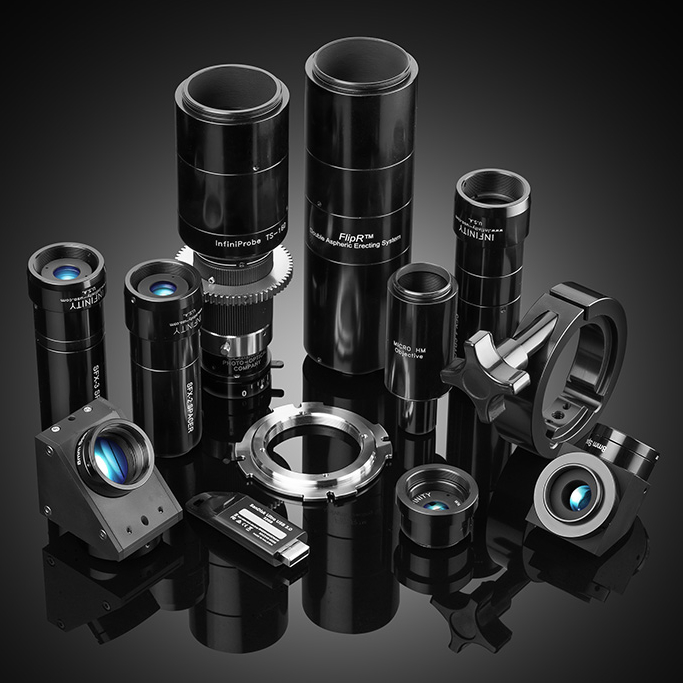
The Award Winning TS-160 Lens System MICROSCOPE TECHNOLOGY MEETS CINEMATOGRAPHY
Unique lenses that utilize Micro Technology for unrivaled sharpness and detail
- Incredibly Deep Depth of Field
- Facilitate Forced Perspective
- Exceptional Sharpness
- Redefines the IMMERSIVE EXPERIENCE
- Unheard-of MACRO/MICRO to 16x
- Full Range of Focal Length Lenses
- Easy to Use
- Made in the U.S.A.
The TS-160 Lens System consists of a unique, patented internally-focusable microscope body which accepts 5 front lenses for macro, micro and special deep focus effects with imaging capabilities beyond any other known optical devices.
TS-160 LENS SYSTEM TIPS
- Lens Coverage
a. TS-160 w/ 30mm tube covers S-35 / APS-C 34mm ø F/14
b. TS-160 w/ 30mm + 24mm tubes cover full frame 44mm ø F/22
- The Macro Pro accepts multiple filter options
- The TS-160 has an Iris that can be used to control softness/sharpness. When set to the solid white dot you have the best sharpness and contrast.
- How to Focus Lenses:
a. Focus to INFINITY if possible, or the furthest physical object
b. Set the Iris to the solid white dot for best sharpness and contrast
- SFX Lens focal lengths and operating ranges
- SFX-1 lens 100mm EFL holds Focus from
INFINITY to 50cm (20in)
- SFX-2 lens 50mm EFL holds Focus from
INFINITY to 15cm (6in)
- SFX-3 lens 33mm EFL holds Focus from
INFINITY to 5cm (2in)
- Micro HM has two preferred operating ranges:
- Micro focus range starts at 50cm (20in) and goes to 18mm (3/4in) for (16X Mag)
- Holds focus from INFINITY to 50cm (20in)
- Image is upside down on all three (3) SFX lenses and the Micro HM. Flip image in camera, monitor, or use the FlipR.
a.The FlipR with the TS-160 and 45 degree prism produces an upright image.
b.The FlipR with the TS-160 and 90 degree right angle produces an upside-down image.
- To orient the prism to match your horizon, carefully loosen the thumb screw located on the Horizon Adjust
- Lens support bracket (mounting clamp and bar) can be used wherever needed for additional support.